Is Google’s AI Calling Your Business? Here’s What We Found and Why This Is A Call You Don’t Want To Miss.

November 22, 2025

This week, while helping a Vista nail salon improve their SEO, something unusual caught our attention. In the Google Map Pack, under a listing of local nail salons, a new option appeared:


“Have AI check prices.”


Naturally, we clicked it.
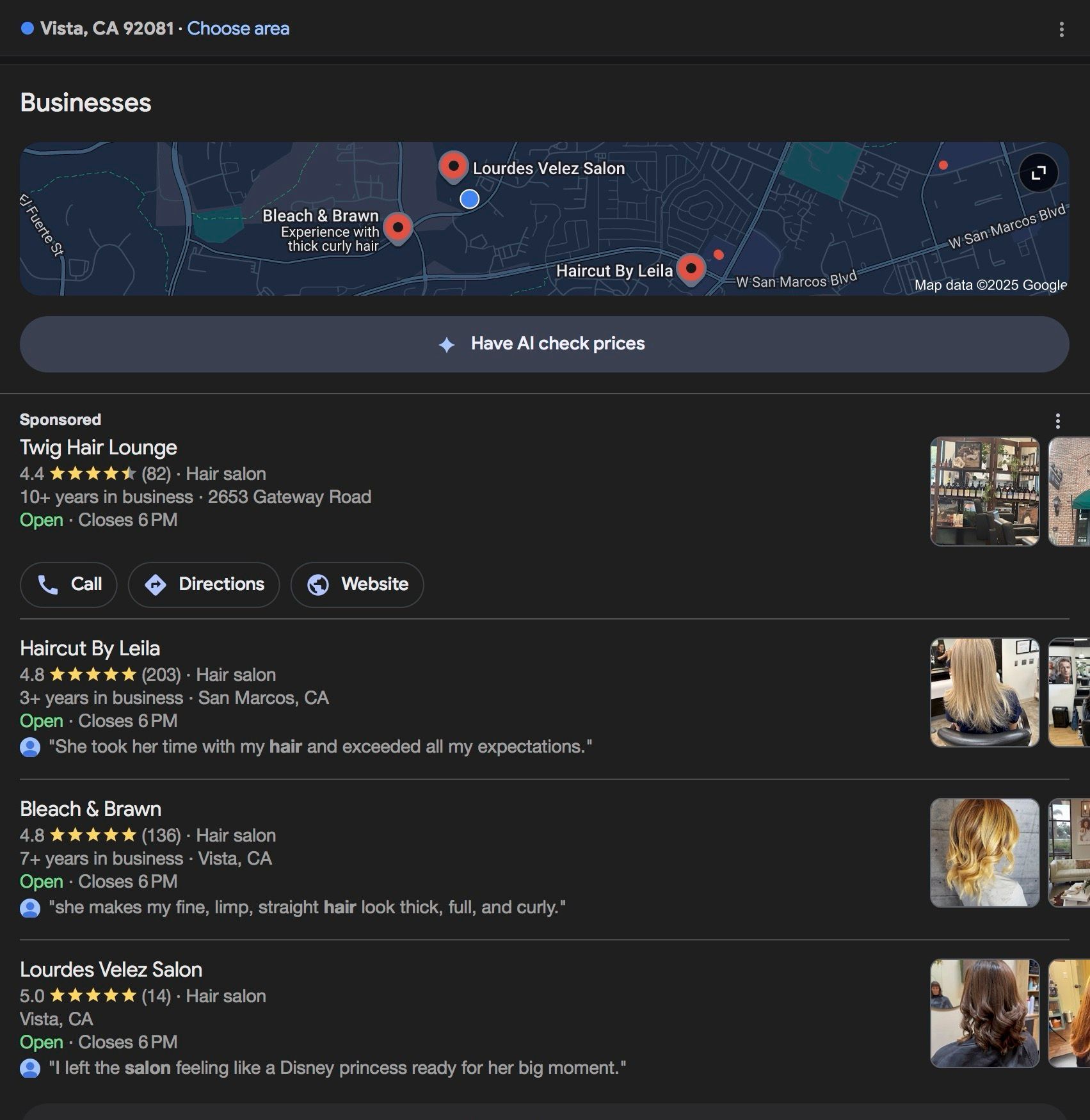
A screenshot of Google AI suggesting Have AI check prices for a local business search

What Triggered Our Test?

After selecting the “Have AI check prices” prompt, Google asked which service we wanted and when we wanted it. Then it asked for an email and phone number.


Within five minutes, we started receiving texts with pricing and availability from salons in the Vista area.

At first, we figured it was just another AI-powered search feature, but the results looked like real human responses. That raised a question:


Was Google’s AI actually calling these businesses to ask for pricing and availability? We had to know.


Testing It Across Other Industries

We reached out to a few nail salons to confirm, but the owners were just as confused as we were. None had knowingly provided live quotes to Google.


So we expanded our test to other local industries.


When we searched for “auto mechanics near me” from our office in Vista, the “Have AI check prices” feature appeared again… this time asking for the vehicle make, model, and specific auto repair services needed.


Since we work with many auto shops in North County, we were able to capture a live Google AI phone call to our client, Mission Auto Care.

Listen to the Google AI phone call audio here.


What We Found: Google’s AI is Collecting Live Local Data

Here’s what our team at GoBeRewarded learned after digging deeper:

  • The feature has rolled out for select industries only, including nail salons, hair salons, and auto repair shops.
  • Google asks for specific services and appointment times, mimicking what a real customer might say.
  • It attempts to call the top 5 local businesses listed in the Google Map Pack.
  • If no one answers, it tries to pull the information from your Google Business Profile or website.
  • In call-tracking tools like CallRail, these calls appear as “Google My Business”, not Gemini or AI.
  • Results are texted or emailed to the user within minutes (though some responses failed to come through during testing).
  • As of now, these leads are free and organic. They are unconnected to Google Guaranteed, Local Services, or Pay-Per-Click ads.

What San Diego Businesses Should Do About It

Google’s AI is now a customer-facing tool, and it’s collecting your pricing and availability, whether you know it or not. Here's how to make sure your business isn’t left behind.


1. Answer the Phone (Even If It Sounds Like a Robot)

If you ignore unfamiliar numbers, you might be missing free, high-intent leads. Treat any strange but service-specific call like a real customer inquiry.


2. Keep Your Website Updated

Google may scan your website for service descriptions, prices, and availability if you don’t answer the call. Make sure your content is up to date and clear.


3. Optimize Your Google Business Profile

Update your profile with accurate services, hours, and pricing. Google’s AI appears to cross-reference this data when filling in gaps.
Pro tip: Your Google Business Profile is your Off-Page SEO, and your website is your On-Page SEO. Both need to match.


4. Make Sure You're in the Map Pack

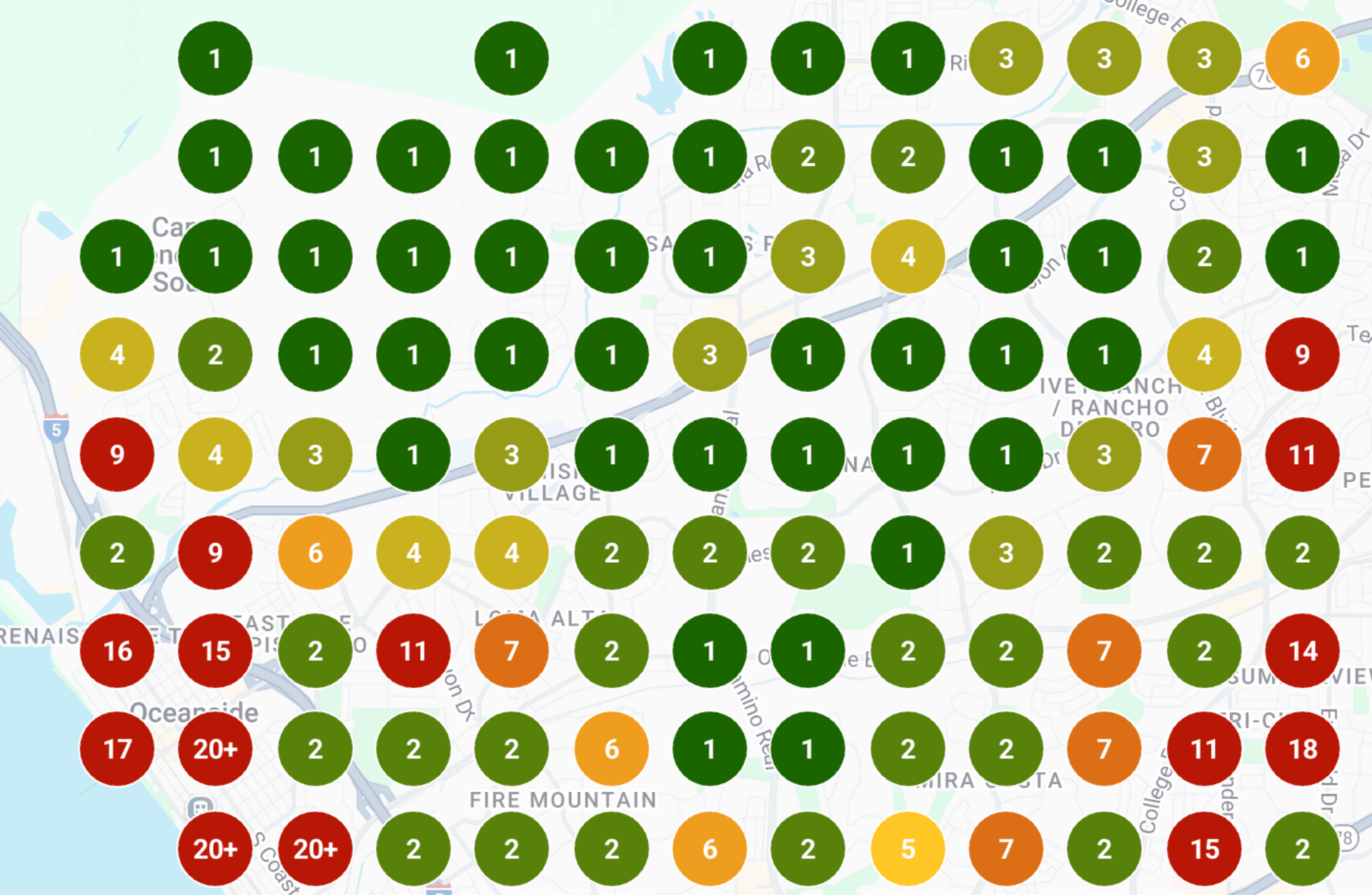
This feature targets businesses in the top 5 local results. If you're not showing up, you're not even in the running. If you haven’t recently run a Map Pack audit, you probably don’t know where your business stands.


Want to Know If You’re Showing Up?

If you want to know whether you're in the top 5 for your industry or location, we can run a free local SEO scan for you.


We’ll show you:

  • Where your business ranks
  • What your competitors are doing better
  • And how to position yourself to receive organic leads from AI tools like this
Schedule A Free Scan With GoBeRewarded
Local Falcon map showing where a business ranks in the local Google Map Pack

Google’s AI-assisted search isn’t coming. It’s already here. Local businesses that adapt early will benefit the most. Start with accurate listings, smart SEO, and a strategy to stay ahead of the curve.


Innovative businesses are already getting these calls. Let us help you be one of them.
A magnifying glass over a document against a light blue background with icons of a key, paper plane, and the text
March 12, 2026
Search engine optimization, or SEO, is often talked about as one thing, but it actually includes several different types of work. Two of the most important are on-page SEO and off-page SEO . Both influence how your website performs in search results, but they focus on different parts of your online presence. What Is On-Page SEO? On-page SEO refers to everything you optimize directly on your website to help search engines understand your content.  This includes things like: Page titles and meta descriptions Headings and page structure Keyword usage in the content Internal linking between pages Image optimization and site speed The goal of on-page SEO is to make your website clear, organized, and easy for search engines to understand. What Is Off-Page SEO? Off-page SEO refers to signals that happen outside of your website but still influence how search engines evaluate it. The most common example is backlinks , which are links from other websites pointing to yours. When reputable websites link to your business, search engines see that as a sign of credibility. Off-page SEO can include: Backlinks from other websites Business directory listings Local citations Online mentions of your business Why Both Matter A well-optimized website is important, but it is only part of the picture. Search engines also look for signals that your business is trusted and referenced elsewhere online. Strong SEO typically comes from a combination of both a well-structured website and credible external signals.
Two people, woman and man, looking at a computer screen together at a desk.
February 28, 2026
Learn how Google Ads is tightening phone number and business info rules in 2026, and what small businesses must do to stay compliant and maximize ad performance.
February 6, 2026
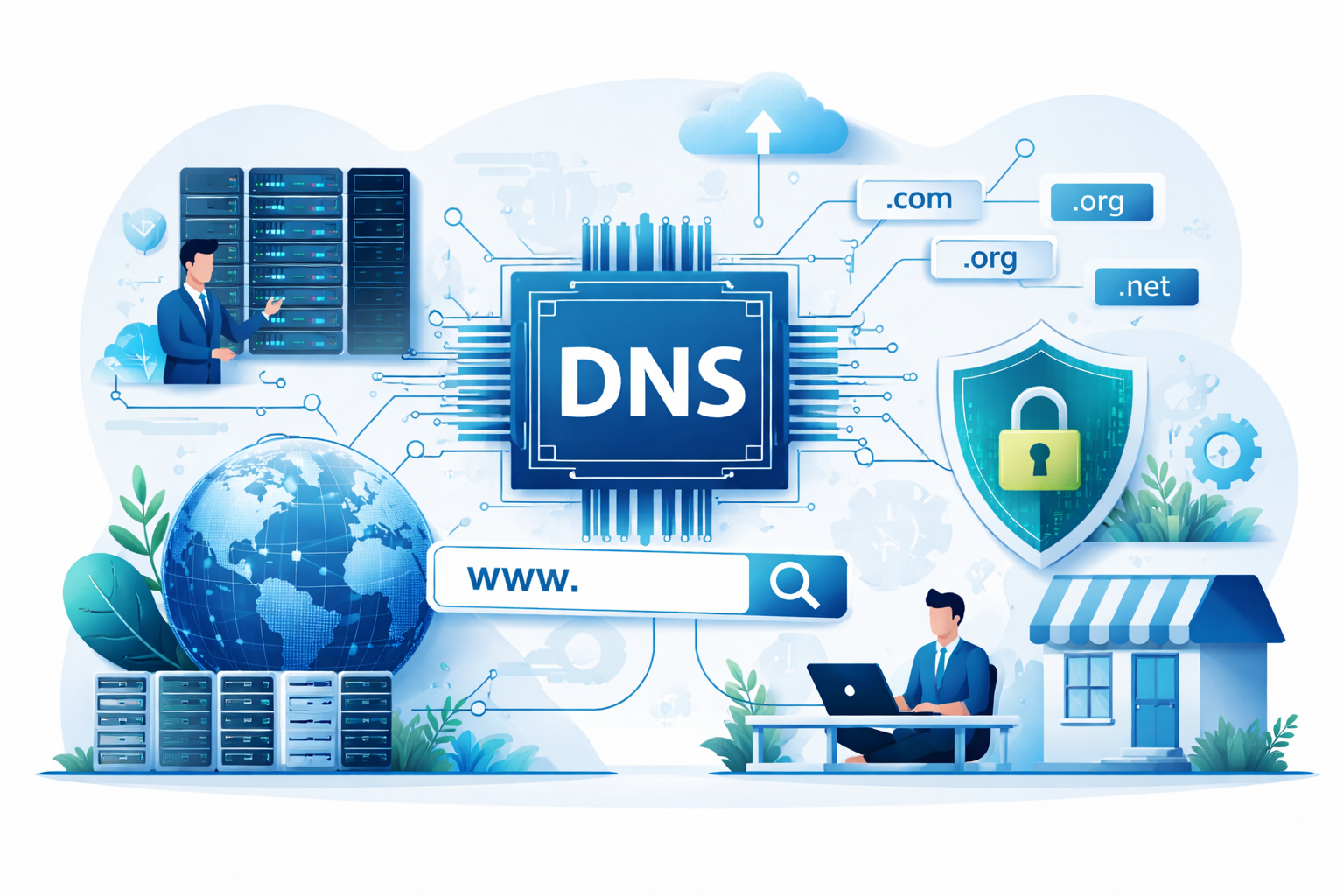
Most business owners only hear about DNS when something stops working. It sounds technical, but the concept is actually straightforward and extremely important to understand. DNS is the system that tells the internet where your website, email, and other services live. More importantly, whoever controls your DNS effectively controls access to your online presence. That is why every business owner should make sure they own their domain and have access to their DNS settings. What DNS Is DNS stands for Domain Name System. Think of it as the internet’s phonebook. When someone types your website address into a browser, like www.yourbusiness.com , DNS translates that domain name into the numerical IP address where your website is hosted. Once the correct server is found, the website loads. Without DNS, people would have to type long strings of numbers instead of simple domain names. What DNS Controls DNS does more than just point visitors to your website. It also directs other critical services connected to your domain, including: Your website hosting Your business email Subdomains like blog.yourbusiness.com Verification records used by tools like Google or Microsoft In short, DNS acts as the traffic controller for many parts of your digital infrastructure. Why Business Owners Should Care One of the most common problems businesses run into is losing access to their domain or DNS because it was registered under a developer, agency, or former employee. When that happens, you may not be able to: Move your website to a new provider Change email services Connect marketing tools Fix website or email issues Your domain and DNS act as the gateway to your entire digital presence. If you do not control them, someone else does. What Every Business Should Do Every business owner should make sure of three things: Your business owns the domain name You know where it is registered and have login access You can access the DNS settings if needed Even if a developer or marketing agency manages things for you, the account should always belong to the business.